AI Home Office Design
A workspace you actually want to sit in changes how the day feels. Photograph your home office and watch InteriorLab redesign it for focus, comfort, and good light.


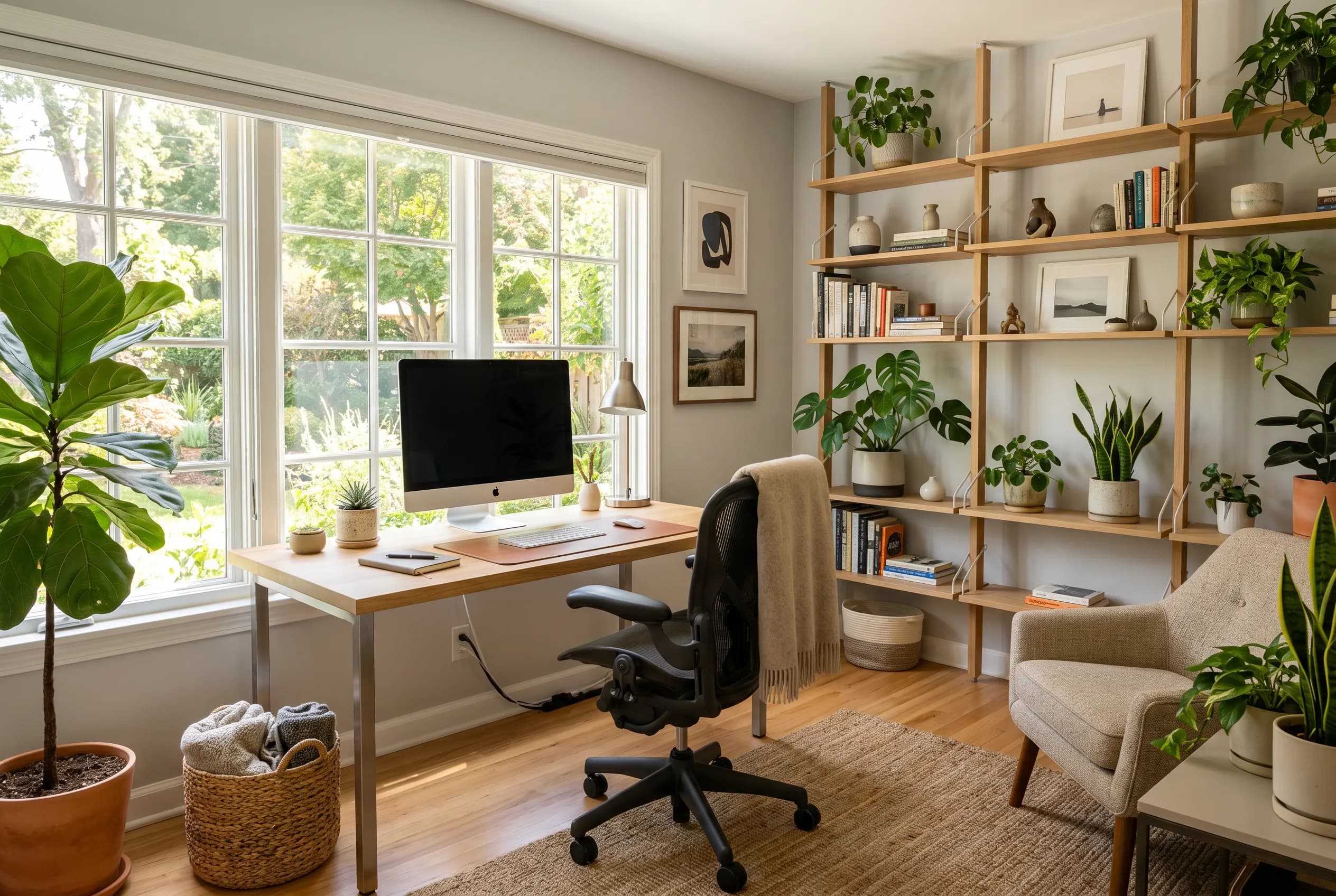
The home office is the room that has to do two jobs at once: keep you productive and not feel like a corner of an open-plan compromise. Whether you have a dedicated room, a converted closet, or a desk wedged against a bedroom wall, the design problem is the same. You need a setup that signals "work" when you sit down and recedes when you stand up, and you need it to look like part of your home rather than a satellite of the office you left.
Layout is where most home offices succeed or fail. The desk wants to face into the room or catch daylight from the side rather than straight on, so screens do not glare. Storage has to absorb the paper, cables, and gear that accumulate, and a second zone for reading or video calls keeps the room from feeling like a single fixed station. Get the circulation, sightlines, and light right and almost any style reads as calm and capable.
Common Home Office Design Challenges
Lighting and screen glare
Overhead light alone flattens a room and bounces off monitors. A home office needs layered light: daylight from the side, a task lamp at the desk, and warmer ambient fill for calls and evenings.
Cable and tech clutter
Monitors, docks, chargers, and a tangle of cords undo an otherwise tidy room. Routing cables through grommets, trays, and closed storage keeps the surface clear and the eye calm.
Small or borrowed space
Many home offices live inside a bedroom, hallway, or alcove. The trick is defining the work zone with a rug, color, or shelving so it reads as deliberate rather than improvised.
Looking good on camera
Video calls turn the wall behind you into a backdrop everyone sees. A considered shelf, a plant, or a piece of art gives the frame depth without becoming a distraction.
Redesign Your Home Office With AI
Take a photo of your home office, or LiDAR-scan it on a supported iPhone, and InteriorLab redesigns the room in seconds. Pick from 19 styles to see your desk, shelving, and seating reworked into a coherent scheme, then use the editing tools to act on a single piece: highlight the chair to swap it, recolor a wall, or use Magic Erase to clear a bulky filing cabinet and see the room without it. Rearrange your existing furniture into a better layout without buying anything, or let Shop the Room link the desk, lamp, and storage you like to products you can actually order. Furniture Fit places a real chair or bookshelf in your room in AR so you can check the scale before you commit, and the Budget Planner finds combinations that fit what you want to spend.
Home Office Design Tips
Position the desk for light, not against it
Place your desk so a window falls to the side rather than in front of or behind you. Facing the window backlights you on calls and silhouettes your screen; sitting with your back to it throws glare across the monitor. Side light gives even, flattering illumination all day.
Build storage up, not just out
Floor space is usually the constraint, so use the wall. Open shelving above the desk and a single closed cabinet for the things you would rather not see keeps the footprint small. Reserve the desktop for what you touch daily and let everything else live vertically.
Add one thing that is not about work
A plant, a framed print, or a warm-toned task lamp softens the utilitarian edge that home offices drift toward. It reads better on camera and makes the room somewhere you choose to be, not just where the laptop happens to live.
Best Styles for a Home Office
Home Office Design FAQs
How do I design a home office in a small or shared room?
Define the work zone visually so it feels intentional. A rug under the desk, a different wall color, or a slim bookshelf as a divider separates the office from the rest of the room without a wall. In InteriorLab you can scan the corner you have and try several compact layouts before moving a single thing.
What is the best desk placement for video calls?
Sit so daylight comes from the side and a simple, uncluttered surface sits behind you. Avoid facing a window directly, which makes you a dark silhouette, and avoid a busy backdrop that pulls focus. A shelf with a plant or two and one piece of art is the reliable formula.
Which design styles suit a home office best?
Modern, Scandinavian, minimalist, and Japandi all keep surfaces clear and visual noise low, which supports focus. If you want more character, mid-century modern brings warm wood and clean lines, while industrial suits lofts and exposed-brick spaces. Try a few styles on your own room to see which feels right.
Can InteriorLab help me hide cables and clutter?
It can show you the calmer version. Use Magic Erase to remove a bulky cabinet or a cluttered shelf from the photo, then redesign with closed storage and tidier surfaces so you can see the payoff. Shop the Room can then link cable trays, drawer units, and storage pieces that match the look.
Redesign another room
Redesign your home office today
Download InteriorLab free and see your new space in seconds with AI.